
Blog Booster Documentation
For more details check out the full Neve documentation and Neve PRO documentation.
📝Note: These options are part of just Neve PRO.
Blog page
Neve PRO brings new options for the Blog page. To access those navigate to Appearance > Customize > Blog > Blog/Archive:
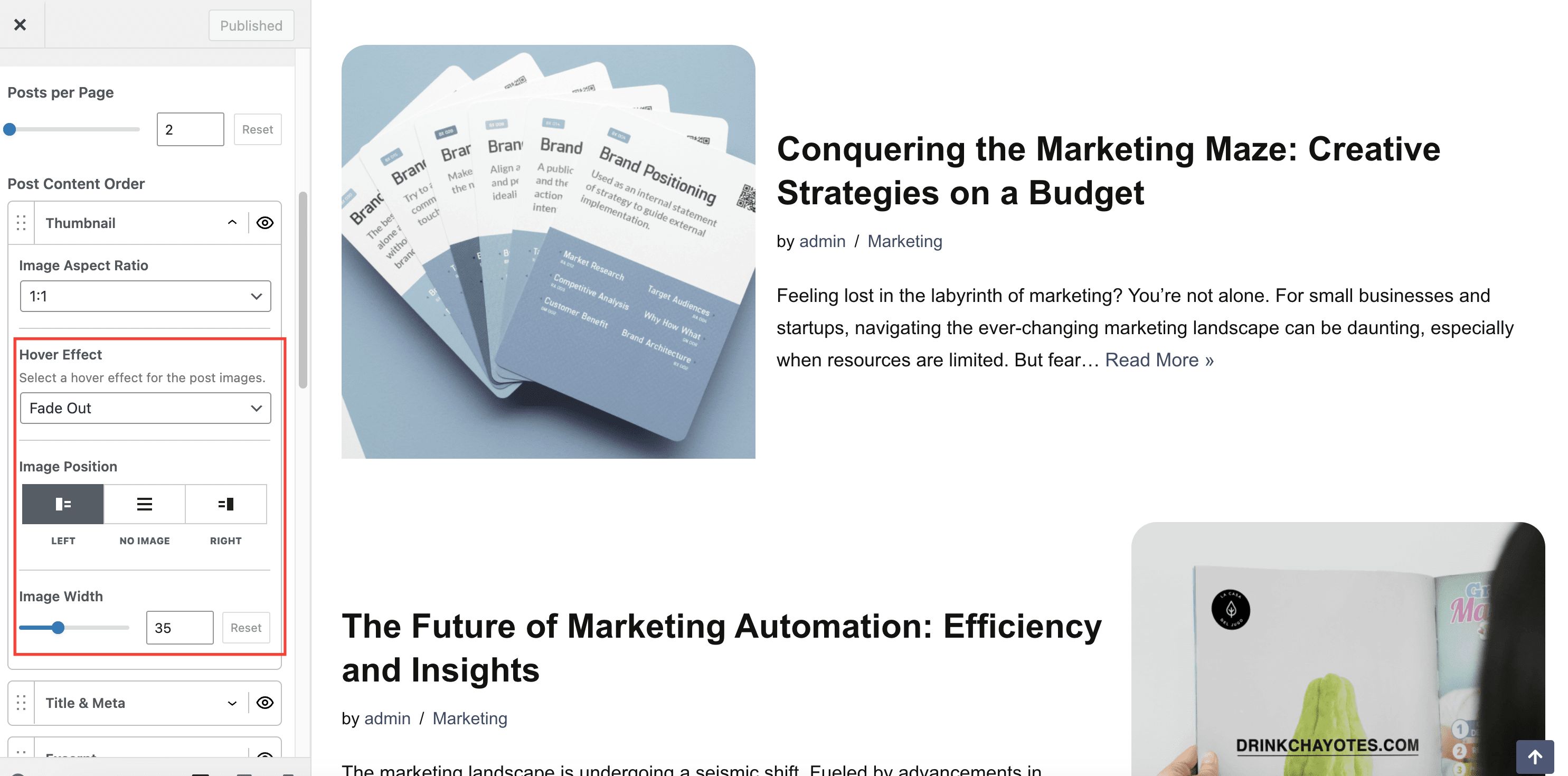
- Options to customize the featured images of each post: Image Hover Effect, Image Position (the position of the image, alongside the text) and Image Width. The options can be found under Thumbnail in the Post Content Order option.
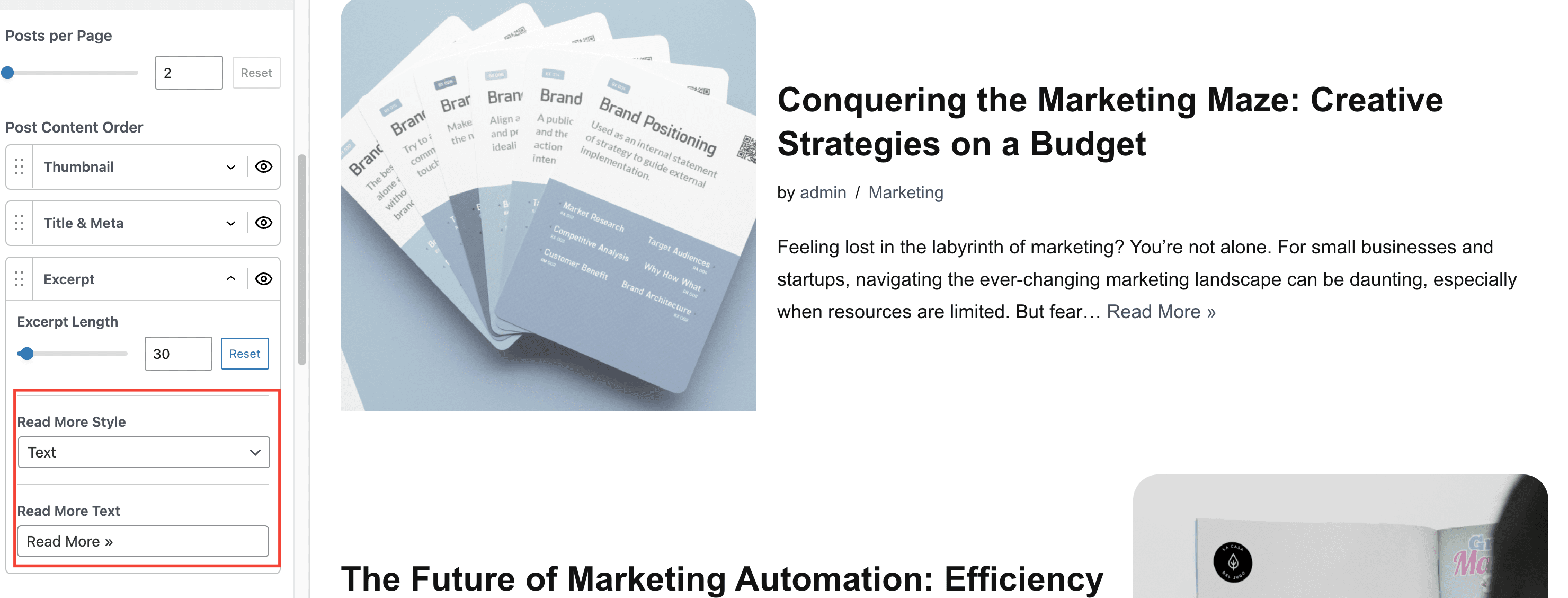
- Options to customize the Read more button style and text. The options can be found under Excerpt in the Post Content Order option.
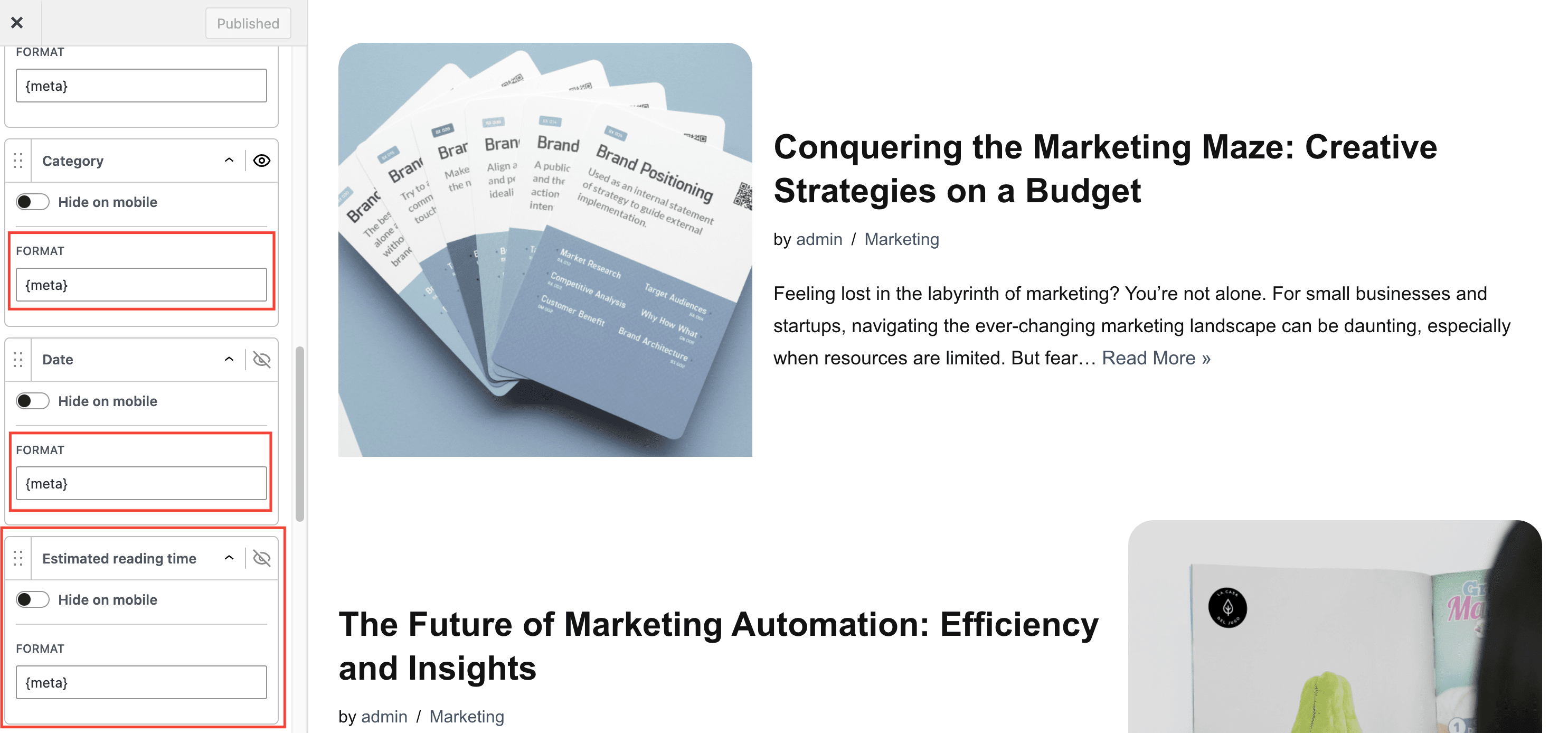
- Add an Estimated reading time in each post meta
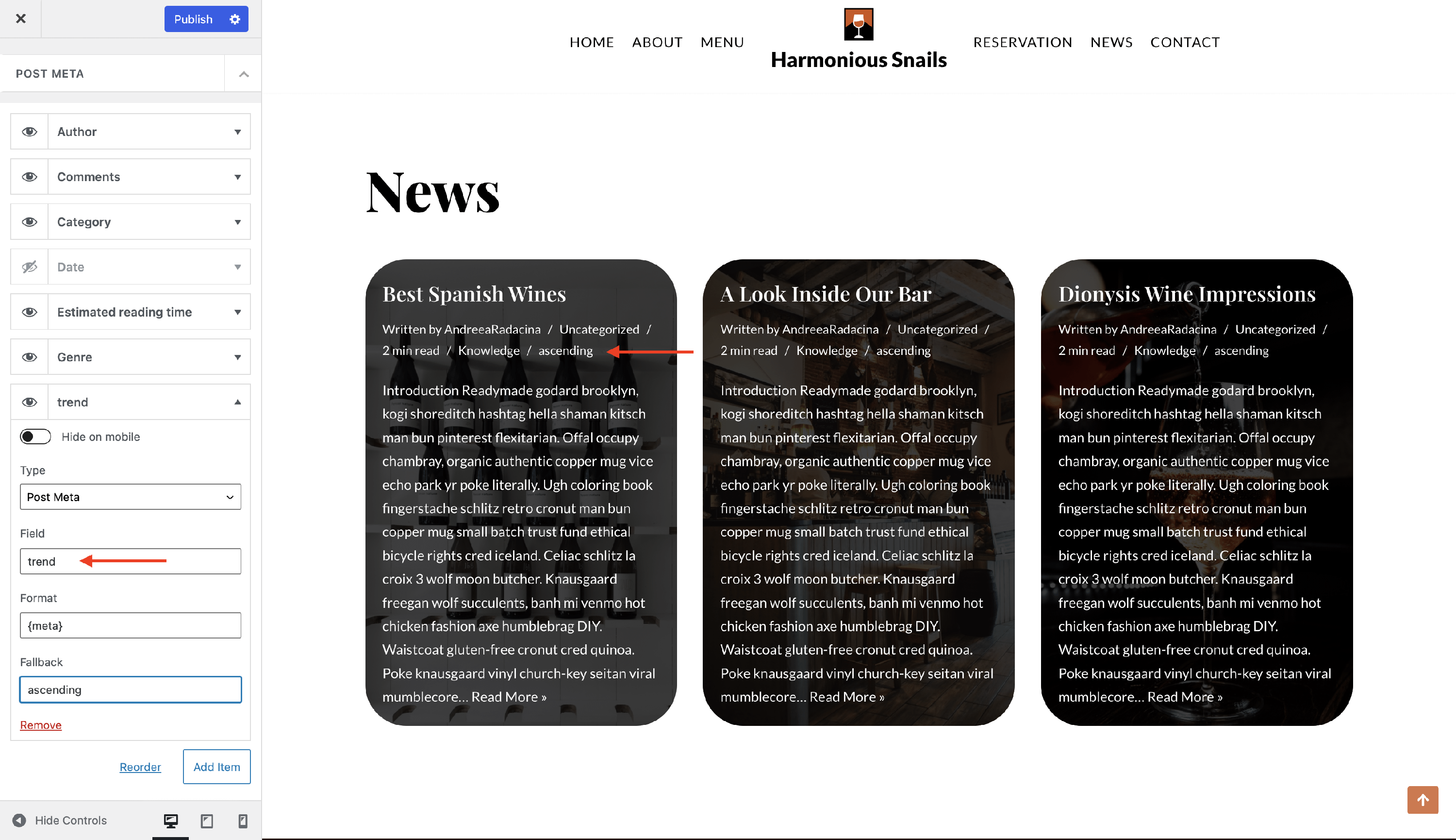
- Option to change the default format for each post meta options. The default format is {meta}, which represents a magic tag. You can add your own text before and after this default format.
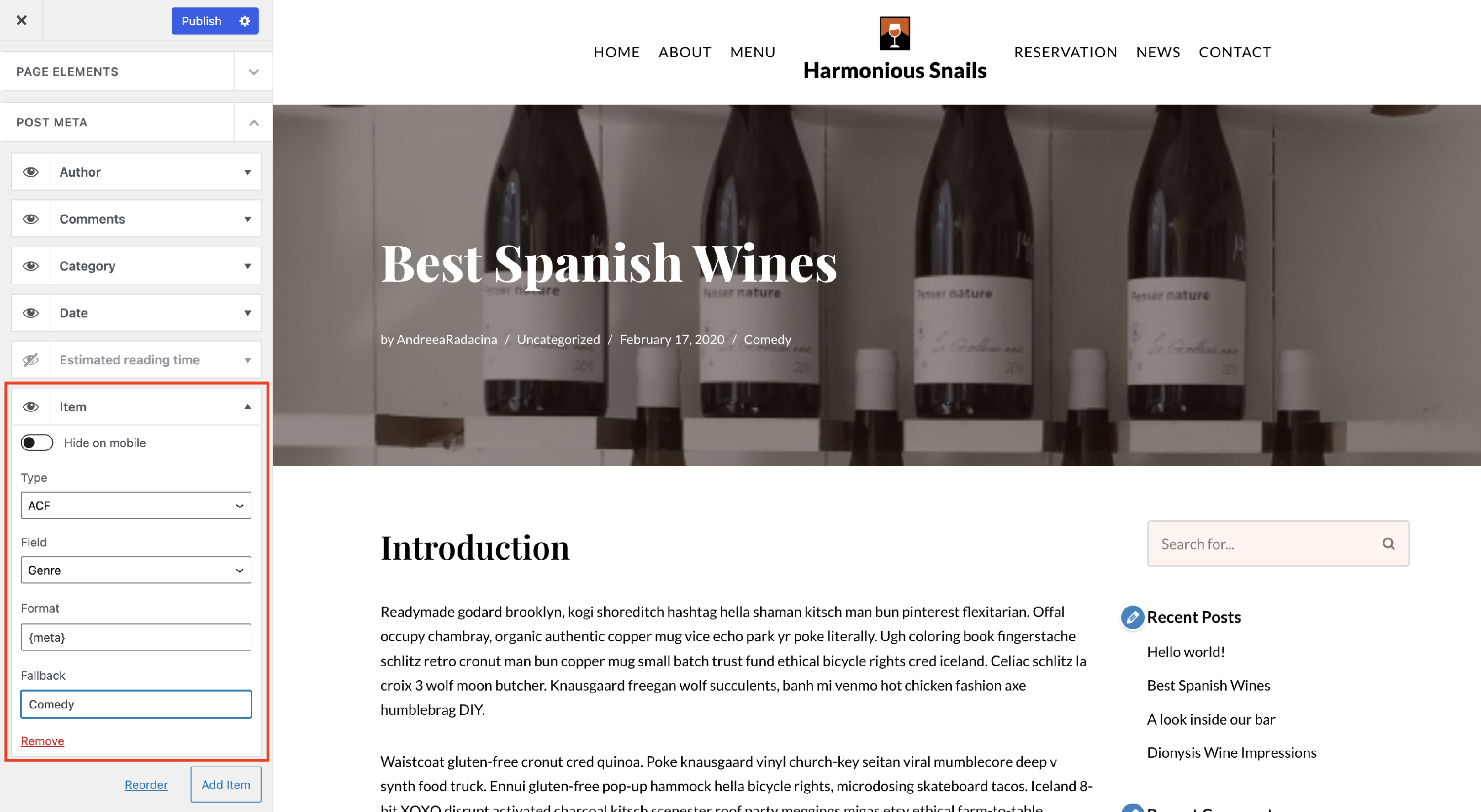
- Option to add a new meta option from a Custom Field by clicking on the Add Item button.
- For Custom Fields, Neve PRO is integrated with ACF , Meta Box and Toolset. All fields created with the plugins will be available for selection in the post meta option.
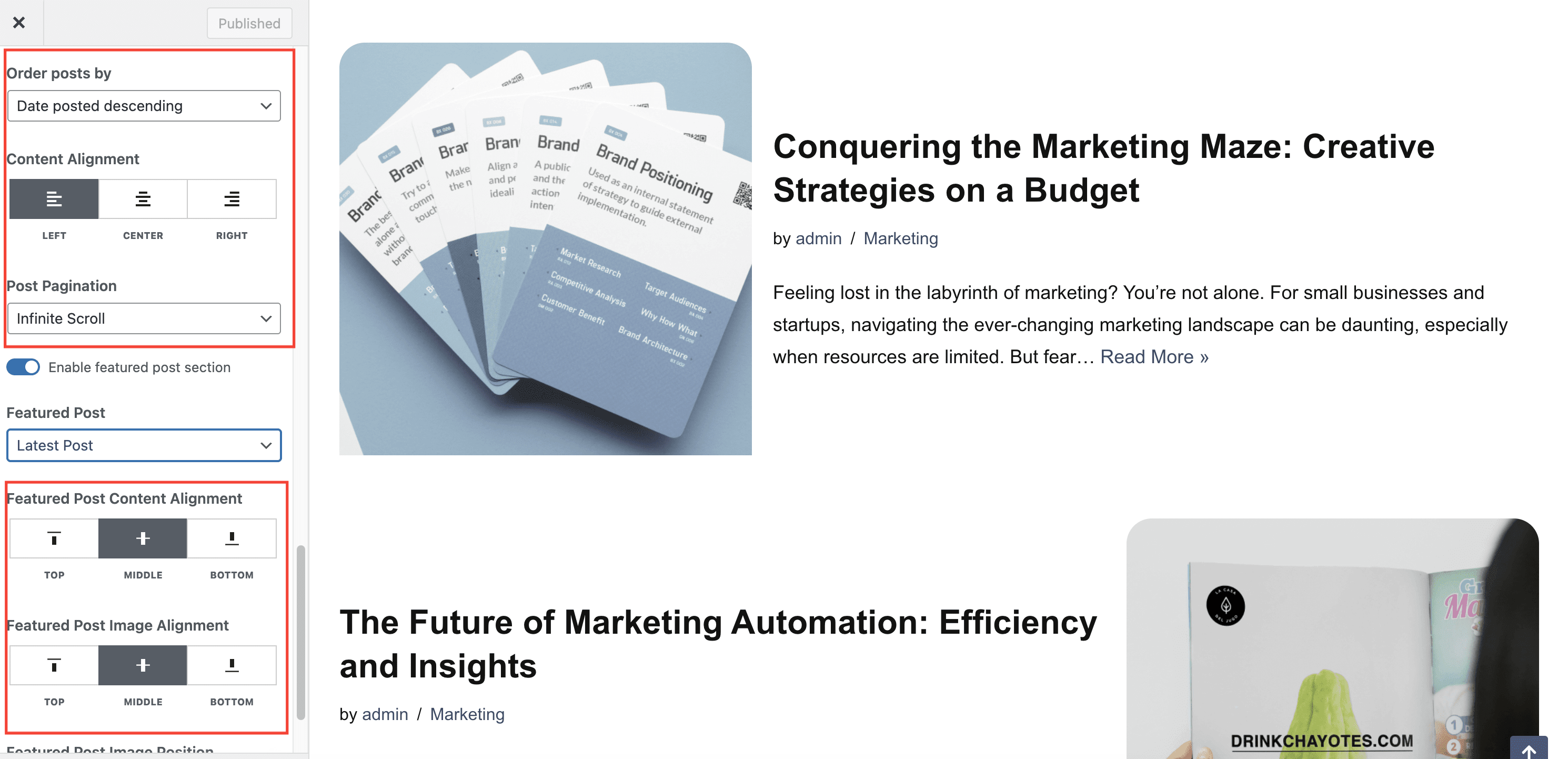
- Order posts by - Date posted descending, Date posted ascending or Date updated
- Content Alignment - Left, Center or Right
- Post Pagination - Number, Infinite Scroll or Number & Search Field
- Featured Post Alignment options
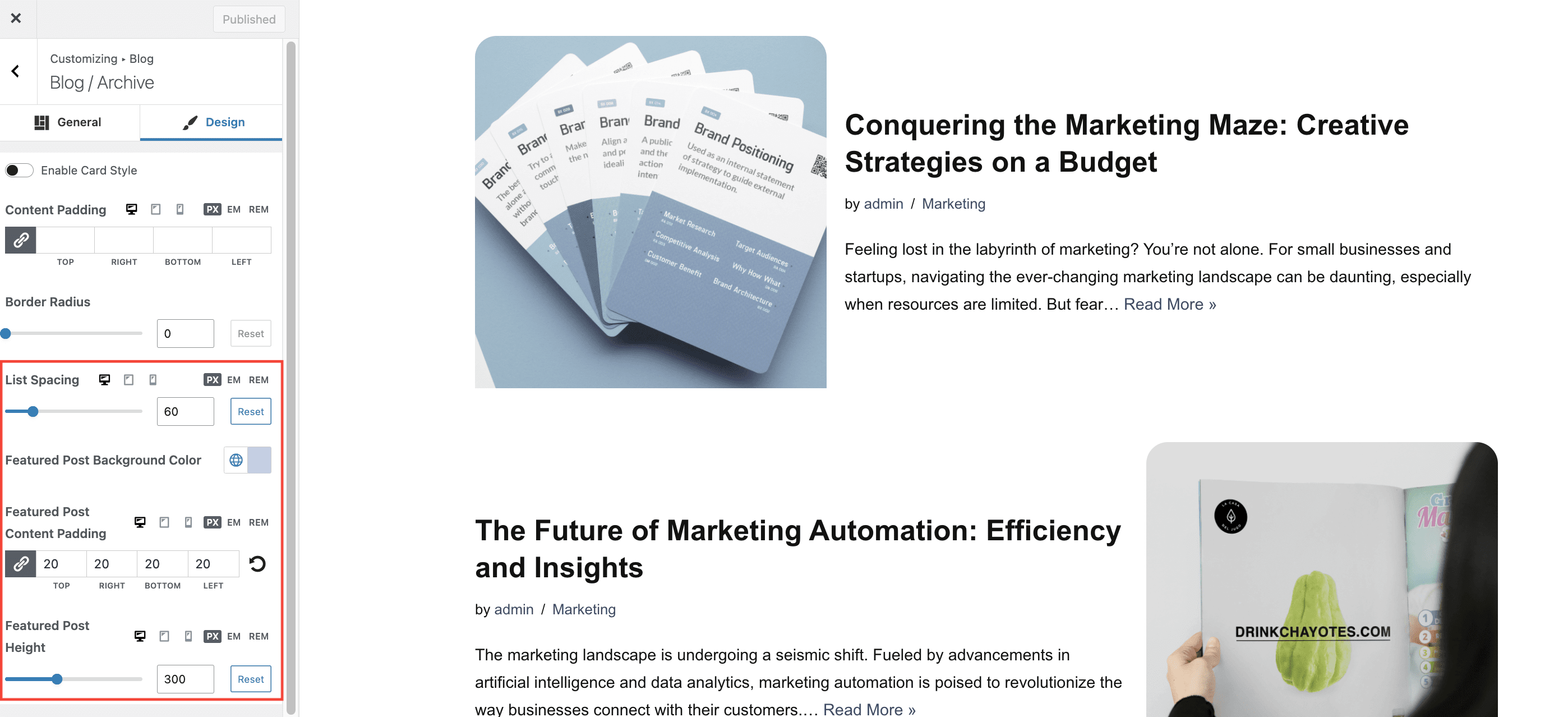
In the Design tab we can find:
- List Spacing - the height between posts, when using the List Post Cards Layout.
- Background Color/Content Padding/Height for the Featured Post area which appears at the top of the Blog page, when enabled.
Single post
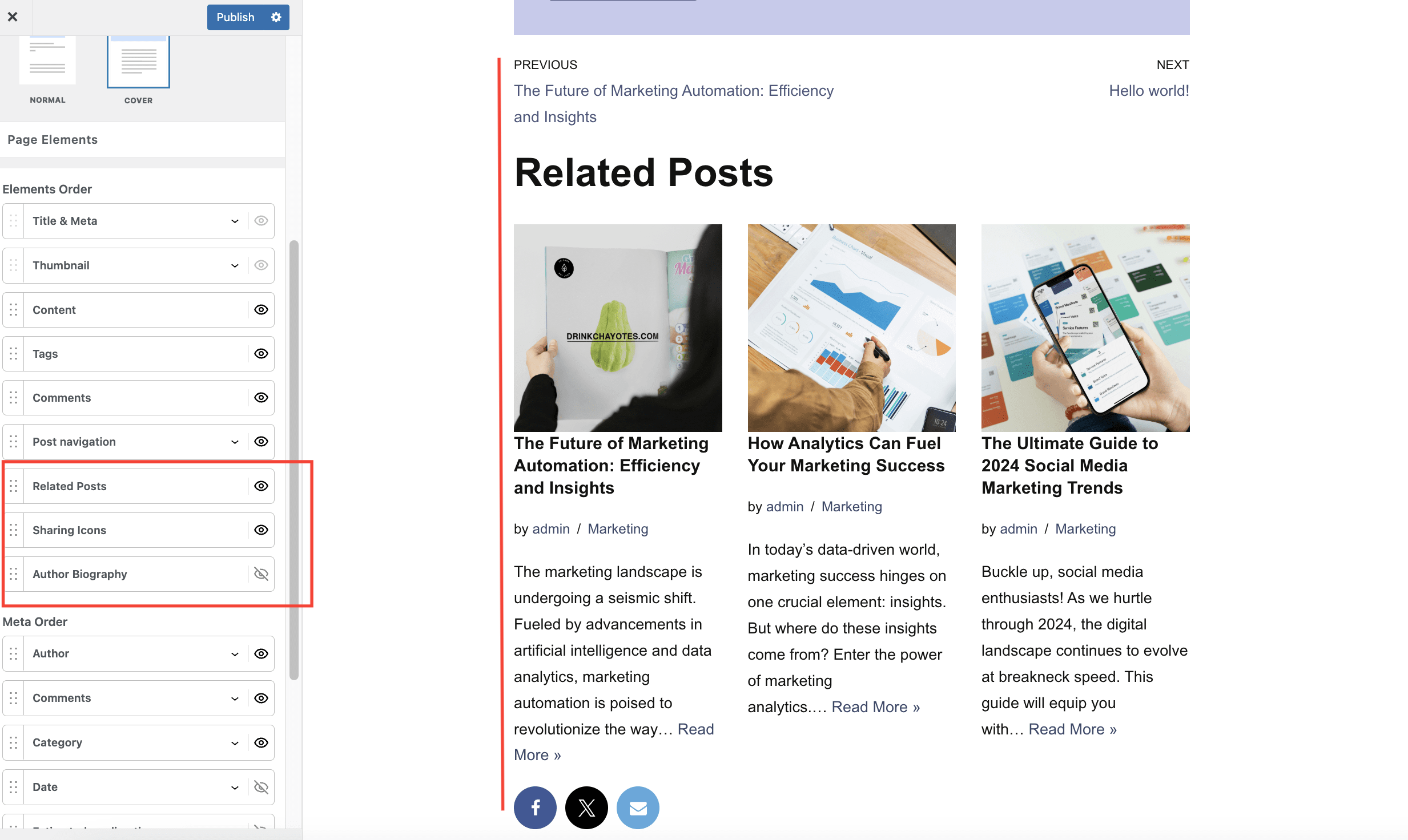
Neve PRO brings new options for the Single post page. To access those navigate to Appearance > Customize > Blog > Single Post:
- Related Posts
- Sharing Icons
- Author Biography
- Add an Estimated reading time in the post meta
- Option to change the default format for each post meta options. The default format is {meta}, which represents a magic tag. You can add your own text before and after this default format.
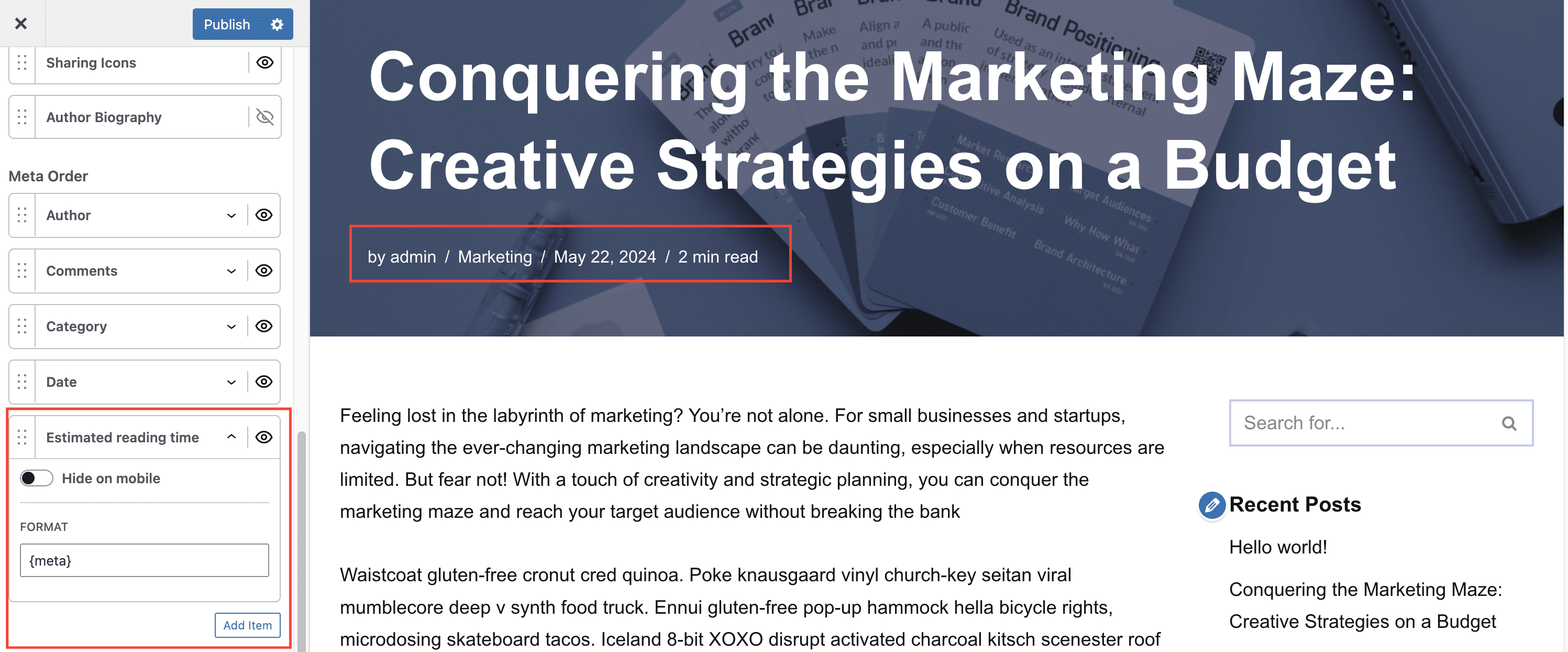
- Option to add a new meta option from a Custom Field or a Custom Taxonomy. by clicking on the Add Item button.
- For Custom Fields, Neve PRO is integrated with ACF , Meta Box and Toolset. All fields created with the plugins will be available for selection in the post meta option.