

How to add Magic Tags to display Dynamic Values in Otter?
Magic tags allow you to display specific information anywhere on the website. Otter brings in an integration to display dynamic tags in places where the format isn't normally permitted.
📌 Tag Structure
In order to display dynamic values, you have to use the tag structure, an example is below:
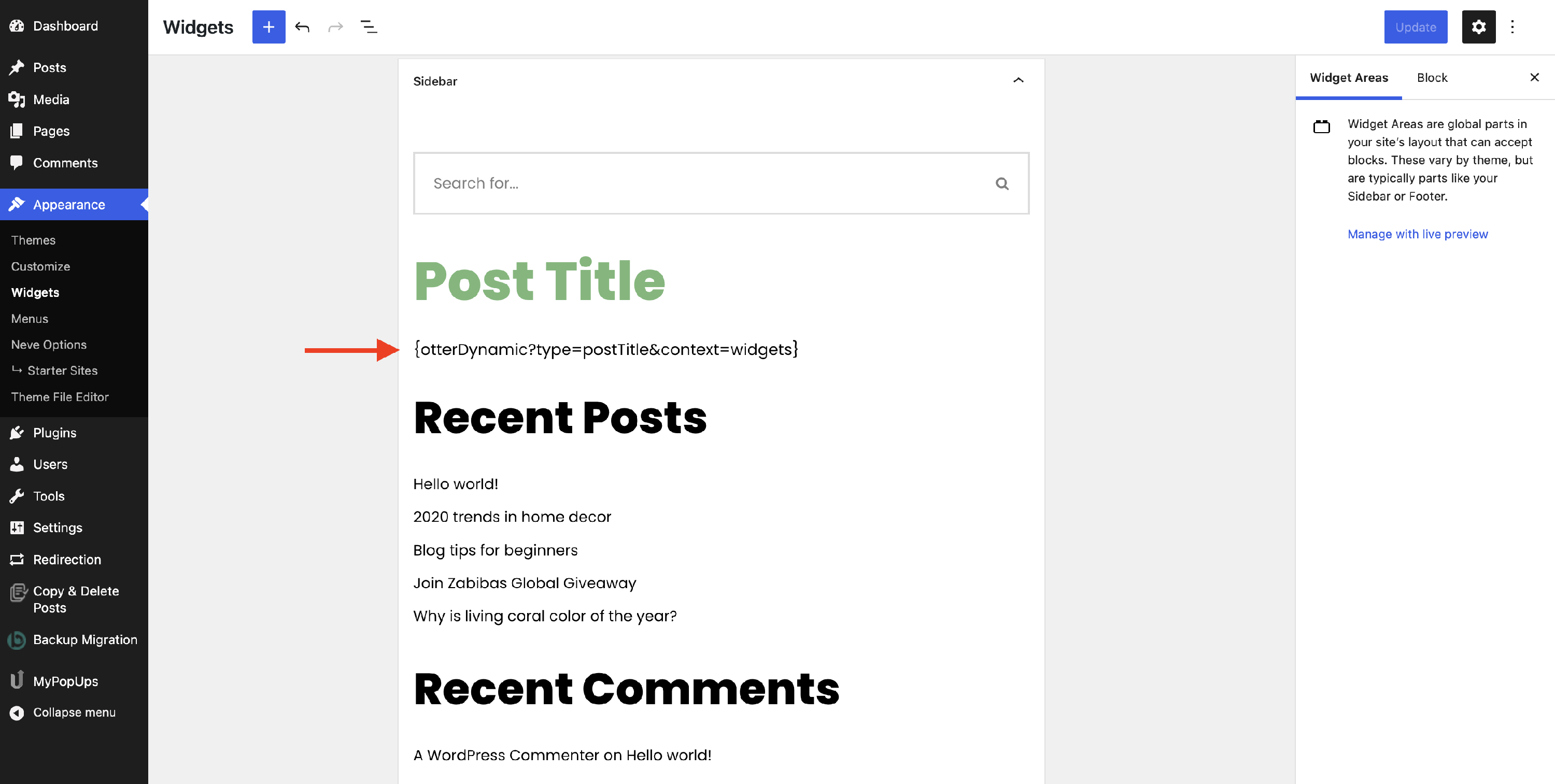
{otterDynamic?type=postTitle&context=widgets}As you can see, there are some predefined parameters that must be used:
- type - the Dynamic Value data type that you want to display.
- before - text that prepends the dynamic value (&before).
- after - text to append the dynamic value (&after).
- context - ID of the post. If not used the current post will be used. It can be widgets for widgets screen and query if used inside the query block
- default - default value is returned.
For the above example, the scenario implies adding the tag structure inside the widgets area:
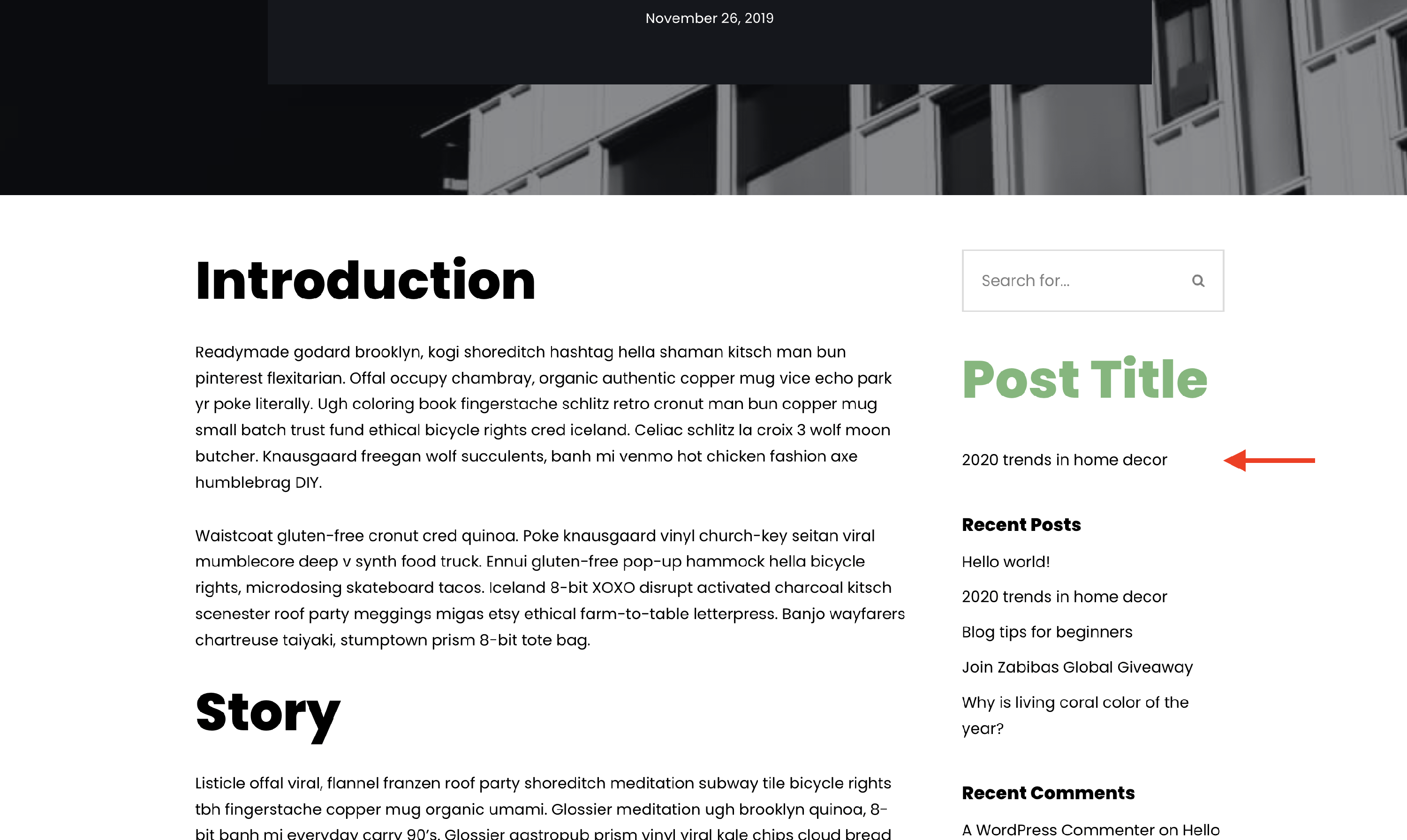
💡Result
📝Note: For now, the tag structure does not accept the & character ( e.g. "dos&don'ts ).
If you want to add text before or after the dynamic value, this can be done using the before / after parameters and adding the text directly, without other parenthesis; note that the space is taken into consideration:
{otterDynamic?type=postTitle&before= hello &after= there &context=widgets}Tag Data Types
Free Types
- Post's info - postID, postTitle, postContent, postExcerpt ( excerpt length ), postType, postStatus.
- Site's info - siteTitle, siteTagline.
- Author's info - authorName, authorDescription.
- User's status - loggedInUserName, loggedInUserDescription, loggedInUserEmail.
- Archive's info - archiveTitle, archiveDescription.
- Date - dateFormat.
- Time - timeFormat.
📝 Note: Check the supported data and time formats here.
Pro Types
Apart from the ones listed above, the premium version brings in the following types:
- postDate - dateFormat, dateType ( leave empty of published date, and put ‘modified’ to get the date for the last time post was modified ).
- postTime - timeFormat, timeType ( leave empty of published time, and put ‘modified’ to get time for the last time post was modified ).
- postTerms - termSeparator ( defaults to a comma ), termType ( the default is categories, which can also be set to ‘tags’ ).
- postMeta - requires a metaKey.
- acf - requires a metaKey.
- authorMeta - requires a metaKey.
- loggedInUserMeta - requires a metaKey.
📝 Note: The pro version of Otter can be purchased from here.