
Defining Media Categories
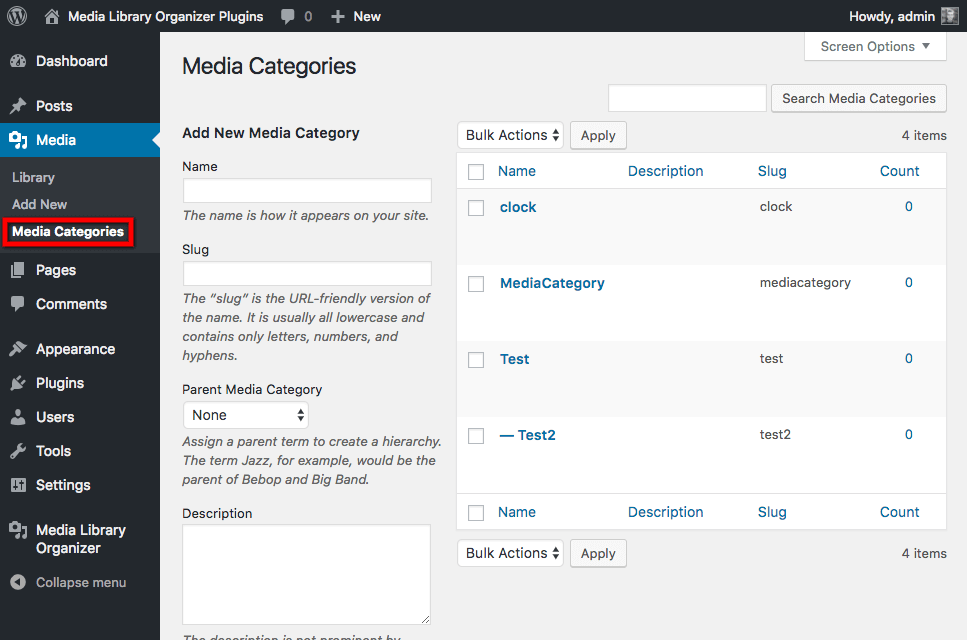
Defining Media Categories Before categorizing the Media in your WordPress Media Library, it's best to define the categories that you think you will need to use. Media Categories are a Taxonomy, so if you're used to defining Post Categories in WordPress, this should feel familiar. To add, edit or delete a Media Category, click on Media > Media Categories in the WordPress Administration menu:
Adding a Media Category
To add a Media Category, use the Add New Media Category form fields:
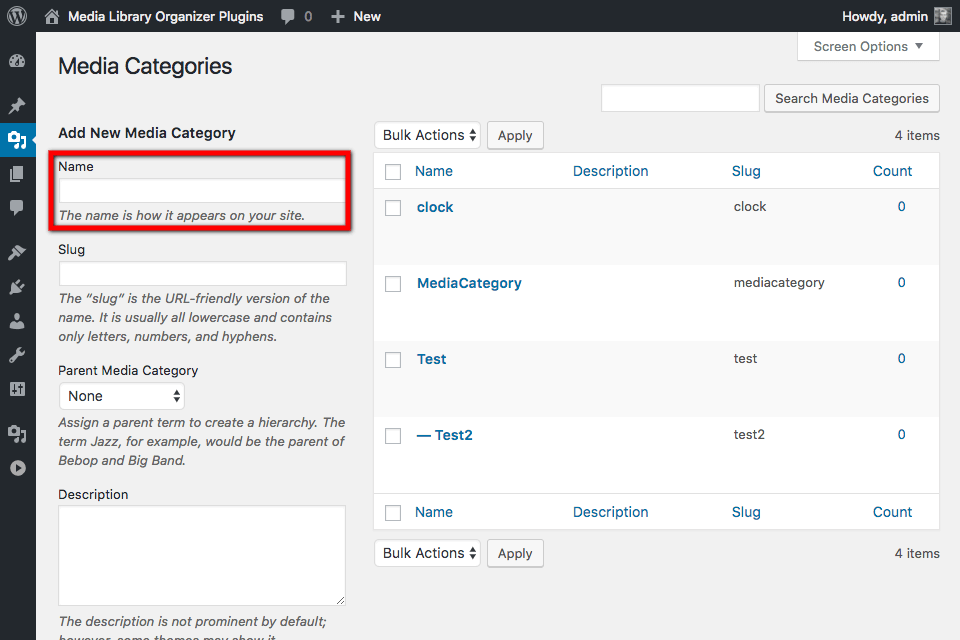
- Name: The name of the Media Category
- Slug: Optional; the slug (permalink) of the Media Category. This isn't used by Media Library Organizer
- Parent Media Category: Optional; the parent Media Category
- Description: Optional; some text to describe what this Media Category is.
Click Add New Media Category when done.
Editing a Media Category
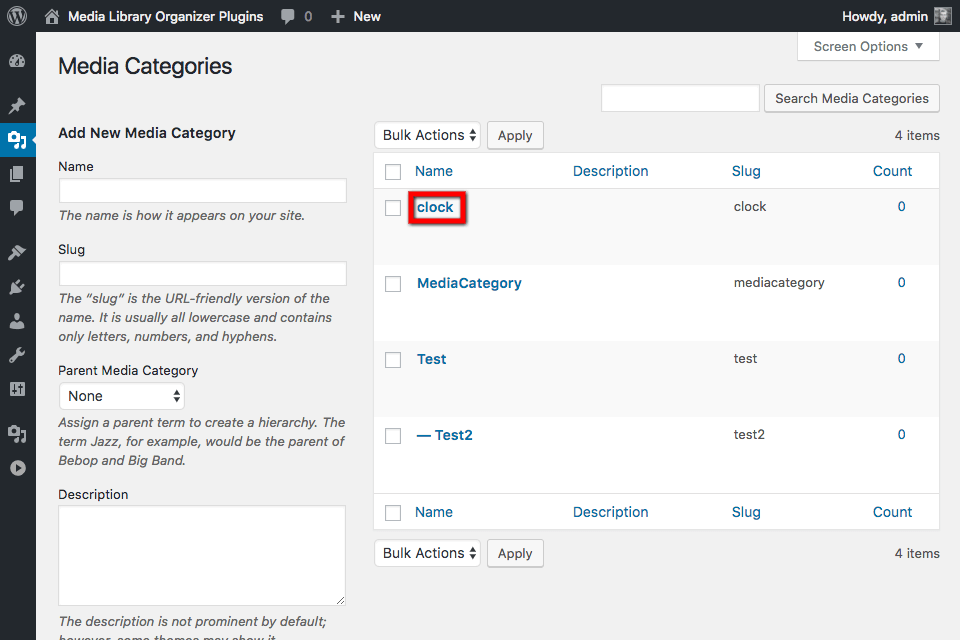
To edit an existing Media Category, click on the name of the Media Category you wish to edit:
On the next screen that appears, change the following fields:
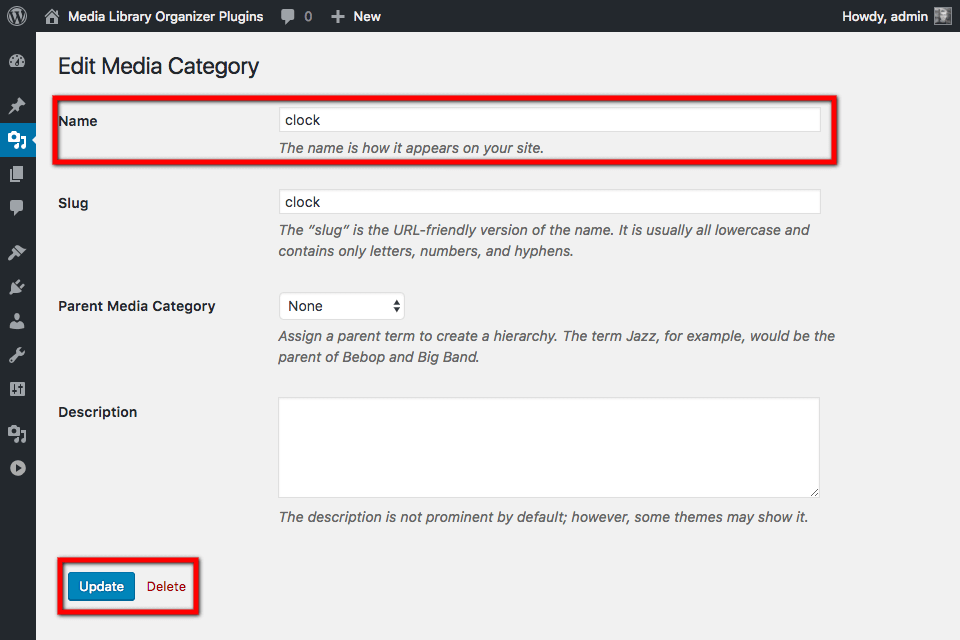
- Name: The name of the Media Category
- Slug: Optional; the slug (permalink) of the Media Category. This isn't used by Media Library Organizer
- Parent Media Category: Optional; the parent Media Category
- Description: Optional; some text to describe what this Media Category is.
Click the Update button when done.
Deleting a Media Category
To delete an existing Media Category:
- Hover the mouse cursor over the name of the Media Category
- Click the Delete link